
How to Set Up a Remote Patient Monitoring Program in Your Practice
Step-by-step guide to starting remote patient monitoring: patient selection, devices, consent, monthly workflow, CPT codes, and documentation to keep.
Reviewed by Muhammad Usman, PharmD, co-founder of Zenith Care Solutions.
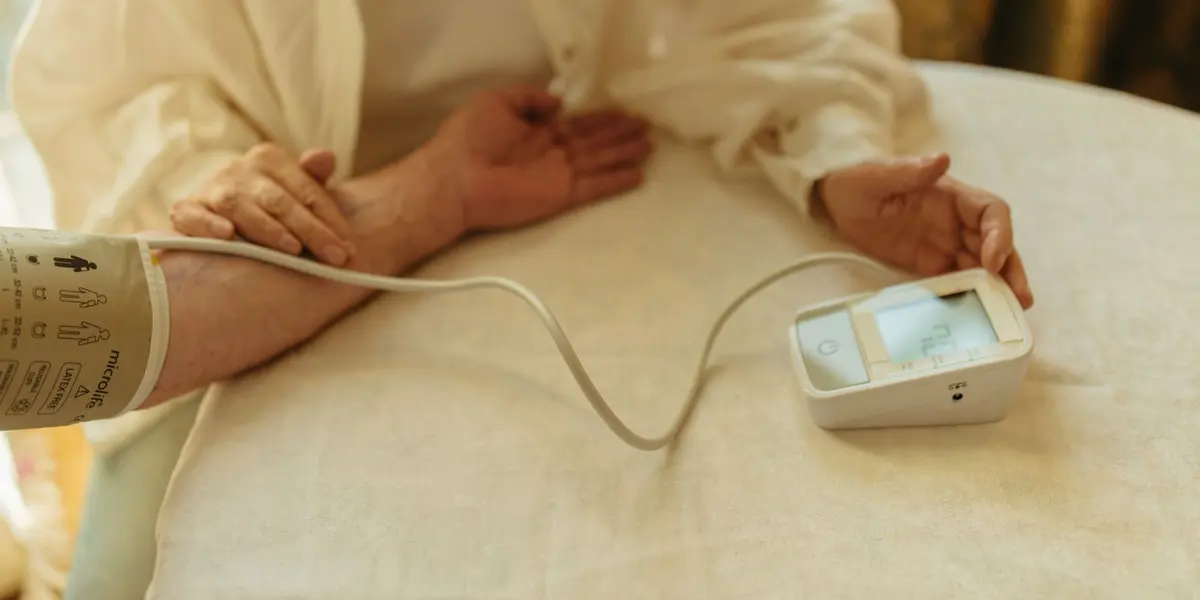
Remote patient monitoring (RPM) lets a practice track a patient's health data between visits using connected devices such as blood pressure cuffs, glucose meters, pulse oximeters, and weight scales. Done well, it helps your clinicians spot problems days before the next appointment. Done poorly, it becomes a pile of unreviewed readings and claims that do not hold up.
This guide walks through how to set up an RPM program step by step: who to enroll, how devices and consent work, who does what each month, and how the CPT codes fit together, including the two new codes added for 2026. It is educational and not billing advice, so confirm current rules with your billing lead and CMS guidance before you launch.
What is remote patient monitoring?
RPM is a Medicare-covered service in which a patient's physiologic data (such as blood pressure, blood glucose, oxygen saturation, or weight) is collected by a device at home and transmitted digitally to the practice. Clinical staff review the data, contact the patient when readings drift, and escalate to the provider when needed.
Two features define RPM and separate it from other care management programs:
- A device is involved. The data must be collected and transmitted digitally by the device, not reported by the patient by phone.
- Both data and time count. Billing depends on the days of transmitted readings in a month and on documented management time with the patient.
If you are still deciding whether RPM is the right program for your panel, start with the comparison in CCM vs. RPM vs. PCM.
Step 1: Choose which patients to enroll
Start narrow. A focused pilot is easier to run well than a practice-wide launch.
Good candidates usually have a condition where regular home readings change management, for example:
- Hypertension that is not yet well controlled
- Diabetes where glucose trends guide medication decisions
- Heart failure, where weight and blood pressure changes matter early
- COPD or other conditions tracked with pulse oximetry
In general, the patient needs an established relationship with your practice and a condition that warrants monitoring, and the ordering provider decides who qualifies. Do not enroll patients purely to generate volume. A patient who will not use the device produces no data and no revenue.
Step 2: Decide who supplies and manages the devices
Device logistics are where many programs stall. Settle these questions before enrolling anyone:
- Who supplies the device? Practices either buy and distribute devices, or use a vendor or platform that ships them to patients.
- Is it a qualifying device? RPM generally requires a device that meets the FDA definition of a medical device and transmits readings automatically. Confirm this with the vendor.
- How do readings reach your team? Data should land in a dashboard or your EHR, not in an inbox that someone must remember to check.
- Who handles device problems? Dead batteries, pairing failures, and shipping delays are the most common reason patients drop out in the first month.
Device arrangements vary widely between practices, so there is no single correct setup. What matters is that the answer to each question above is written down.
Step 3: Get consent and onboard the patient
Before monitoring begins, document that the patient understands and agrees to the service. Typical elements to cover and record:
- What is being monitored, and why
- That the patient may have cost-sharing, since RPM is billed to the patient's coverage
- That only one practitioner can bill RPM for a patient in a given period
- How to stop participating
Then onboard the patient to the device. Walk them through setup, confirm the first reading arrives, and explain what to do if a reading is very high or very low. Document the device setup and patient education, because that work supports the initial setup code.
Step 4: Set thresholds and an escalation protocol
Each patient needs alert limits set by the ordering provider, and your team needs a clear rule for what happens when a reading crosses them. Write the protocol down:
- What triggers a call. For example, readings outside a range the provider specifies.
- Who calls and how fast. Name the role responsible and the expected response window.
- When to escalate to the clinician. Define which readings go straight to the provider.
- What to say in an emergency. Staff should direct the patient to emergency services, not manage the situation by phone.
Remote monitoring is not emergency care. Make that clear to patients at onboarding and to staff in your protocol.
Step 5: Run the monthly workflow
A repeatable monthly rhythm is what keeps RPM compliant and profitable. A simple version:
- Daily or regular data review. Check incoming readings against thresholds.
- Out-of-range follow-up. Contact patients when readings cross the line, and log each contact.
- Interactive communication. Hold live, two-way contact with the patient or caregiver about their readings and care. This is the time that supports the management codes.
- Month-end check. Confirm the number of days with transmitted readings and total documented minutes before any claim goes out.
Clinical staff can perform much of this work under the supervision rules CMS sets for services billed under the practice, which is why many practices delegate the routine monitoring and reserve provider time for decisions.
Which CPT codes apply to RPM?
The RPM code family splits into device codes and management codes. Here is how they fit together, including the two codes added for 2026:
| Code | What it covers | Notes | |---|---|---| | 99453 | Initial device setup and patient education | Billed once per episode of care | | 99454 | Device supply with daily readings, 16 or more days in a 30-day period | Device supply component | | 99445 | Device supply, 2 to 15 days of readings in a 30-day period | New for 2026; not billed together with 99454 | | 99457 | First 20 minutes of monthly management with interactive communication | Time must be documented | | 99458 | Each additional 20 minutes of management | Add-on to 99457 | | 99470 | First 10 to 19 minutes of monthly management | New for 2026; not billed together with 99457 |
Two practical takeaways. First, the new 2026 codes mean a patient who transmits fewer than 16 days of readings, or who receives less than 20 minutes of management, may still support a billable service. Second, the rules for combining codes are strict, so have your billing lead check the current CMS final rule and fee schedule rather than relying on a summary like this one. Payment amounts vary by locality and change each year, so model revenue with current rates for your region.
For a deeper look at how time-based add-on codes work in a related program, see CPT 99439 vs. 99490.
Can you run RPM and CCM for the same patient?
Often yes, but with a firm rule: the same minutes cannot be counted toward both programs. Many patients who qualify for chronic care management also benefit from RPM, since the device data feeds the monthly care conversation. If you plan to combine them, keep separate time logs and confirm the current rules with your billing lead.
What documentation do you need to keep?
Auditors look for a clear paper trail. For each enrolled patient, keep:
- The provider's order for monitoring and the patient's documented consent
- Device setup and patient education notes
- The count of days with transmitted readings each month
- A time log with date, activity, duration, and the staff member's name for management time
- Records of out-of-range readings and what was done about them
Organizing these for the month before billing is far easier than reconstructing them afterward.
Should you build RPM in-house or outsource it?
RPM adds a daily workload on top of everything else your team does. Practices that run it well usually have a named owner, protected time for review, and a clear escalation path. If you do not have the staff capacity, a partner can take over the monitoring and documentation while your practice stays the billing provider.
Zenith's remote patient monitoring service covers patient onboarding, device data review, out-of-range follow-up, and billing-ready records, working inside your EHR under a signed BAA. If you want to talk through a pilot for your panel, book a 15-minute call.
Frequently asked questions
Does the practice or the vendor bill Medicare for RPM?
Your practice bills under its own provider enrollment. A partner supplies clinical staff or monitoring labor, but the claim is still yours. Confirm this in your agreement.
How many patients should we start with?
Start with a small pilot, often one condition and a limited group of patients, so you can fix workflow problems before scaling. The right number depends on your staffing and device logistics.
What if a patient stops sending readings?
Follow up quickly. A dead battery or pairing issue is the usual cause. If a patient does not want to continue, document that and stop billing for the service.
Is RPM only for chronic conditions?
RPM can apply to acute as well as chronic conditions, as long as monitoring is clinically warranted and the other requirements are met. The ordering provider makes that decision.